How to open an ICS file online and read its events
This page shows how to open an ICS file online without installing anything. Choose a file from your device and its events appear in the month, week or list view.
- Nothing to install
- Month, week and list views
- Repeats and reminders kept
- Works with
- .ics
- iCalendar
- TZID
Use cases
An invitation from an email
Check the date, time and place before you commit, without adding anything to your plans.
An export from another calendar
See what a file someone sent really contains before deciding what to keep.
A term or season schedule
Open a schedule a school, league or venue published and read the run of dates.
What does an ICS file example look like?
An .ics file is plain text wrapped around a calendar: a VCALENDAR block holding one or more VEVENT blocks. Each event carries a start, an end, a summary and often a location; repeats, exceptions and alarms sit in their own lines. The viewer turns those lines into a calendar.
Is there an ICS viewer that keeps repeats and reminders?
Yes. Each occurrence of a repeat is drawn on its day, exceptions stay where the sender put them, and reminders remain attached. Properties the app does not edit — attendees, to-dos, time zones, email alarms — are kept.
Can I use an ICS file for opening hours?
An .ics file has no special field for opening hours: it stores events. It is still workable — a shop or clinic can publish a weekly event for each opening period, with the hours in the title. Those periods appear like any other event.
Where is an ICS file stored?
Usually wherever it arrived: Downloads, an email attachment or a cloud drive. On this page the file is read in the browser and not sent to a server. Inside Zotu, the calendar is /Documents/Calendar.ics in your cloud and saves itself; to add events, use import the file.
How to open an .ics file online
Choose the file
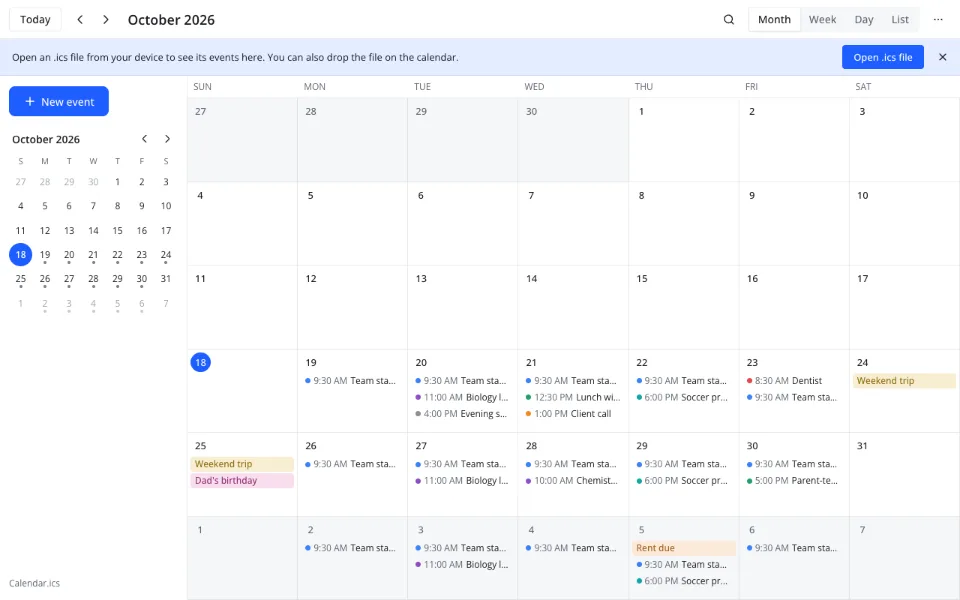
Click Open .ics file or drop the file on the calendar. It is read in your browser and events land on their days.
Find the events
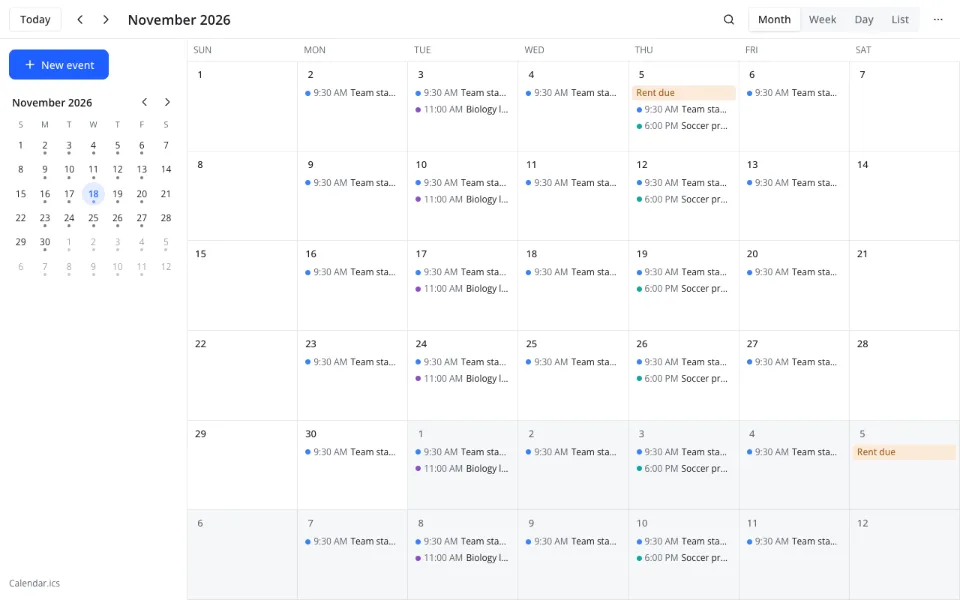
Month shows which days the file touches; switch to Week or Day for hours and overlaps.
Read one event
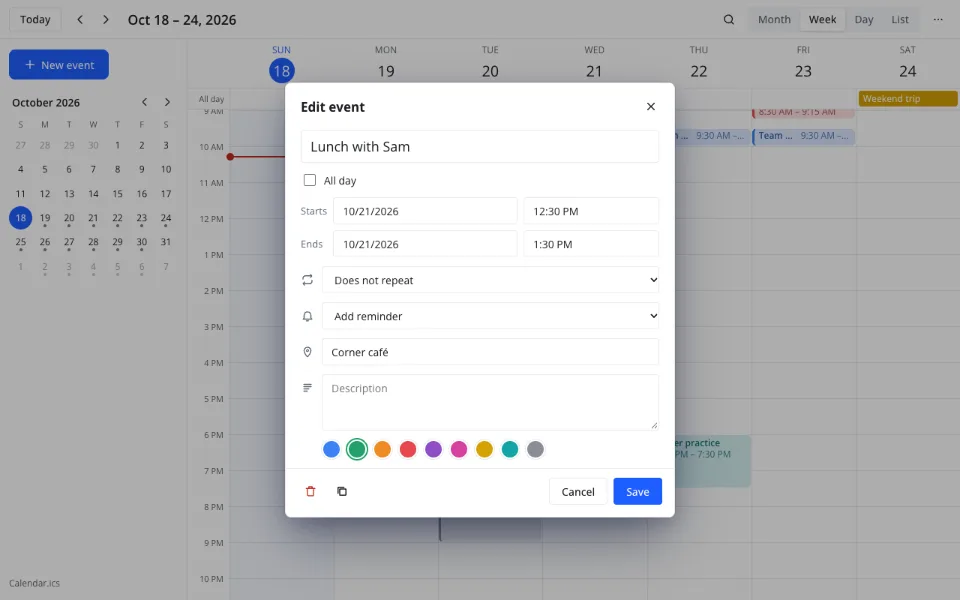
Click an event to see its title, time, place, description, repeat rule and reminders.
Features
| Feature | What it gives you |
|---|---|
| Open | The ⋯ menu → Open calendar…, or Open with |
| Drop | Dropping an .ics opens it here; in the app the same gesture imports |
| Views | Month, Week, Day and List |
| Kept as they were | Repeats, exceptions, reminders, attendees and to-dos |
| Times | TZID and Z times show in your local time |
| Search | Title, location and description, a year back and forward |
What an ICS viewer cannot do
- Event time zones are converted on reading and are not kept on save
- No guests, RSVP or invitation replies
- No printing and no PDF export
- No CSV or JSON conversion
- No subscription to a feed by URL
Privacy
Got an .ics invite or export from Outlook? Open it here in your browser — no desktop app needed. Outlook is a trademark of Microsoft; Zotu is not affiliated with Microsoft.
The file is read in your browser; nothing is uploaded. In Zotu the calendar is an .ics file in your cloud, under GDPR.
FAQ
Support: [email protected]
How to open an ICS file online?
Click Open .ics file on this page and choose the file, or drag it onto the calendar. Its events appear on the month grid; switch to Week or Day to see the hours. Nothing is installed. The calendar you already had stays in this browser, and you can return to it from the ⋯ menu.
How do I view an ICS file online without adding it to my calendar?
Open it here: the page shows the file in its own calendar and leaves your events alone. Dropping an .ics inside the full app imports it, so use the viewer when you only want to look. Closing the tab leaves nothing behind.
How do I open an ICS file on a phone?
Open this page in your phone's browser, tap Open .ics file and pick the file from Downloads or Files. The month view is the easiest to read on a small screen; scroll as usual. No app store and no installation.
How do I open an ICS file attached to an email?
Download the attachment first, then open this page and choose the downloaded file. If the attachment opens a calendar app directly, save it to your device and read it here — useful when the computer you are on is not yours.
Where are ICS files stored?
Wherever you saved them: Downloads, an attachment folder or a cloud drive. The viewer reads the copy on your device. The calendar inside Zotu is a different file: /Documents/Calendar.ics in your cloud, which the app keeps up to date for you.
Can I open several ICS files at once?
One file at a time here, which keeps the view readable. To combine several, open the first in the app and use Import events… for the rest: events merge by UID, so a repeated import makes no copies. Save as… writes the combined calendar to a new .ics.
Is it free? Is there a watermark?
Yes, it is free: reading an .ics file here costs $0, needs no account and adds nothing to the events. There is no watermark and no paid viewer tier. The calendar app is free as well, including repeats, reminders and search.
Is it safe to open an ICS file here?
The file is read in your browser, on your device, and is not uploaded. That suits invitations and schedules with names, addresses or meeting links. Data saved in the Zotu cloud is handled under GDPR, and unknown properties are preserved.
More tools
How to open an ICS file online and read its events
Read an .ics invitation or export in a browser tab.
Open the calendar