A weekly planner online for classes, shifts and practice
This weekly planner online shows seven columns and the hours inside. Drag across an empty stretch to block time, move an event, and pull the bottom edge to make it longer.
- Runs in the browser
- 15-minute steps
- Weekends can be hidden
- Works with
- .ics
- iCalendar
- TZID
Use cases
Class timetable
Lectures, labs and study blocks in their own colours.
Work rota
Early and late shifts side by side; hide weekends the rota skips.
Training plan
Practice, gym and rest days, so the week's shape is clear.
What are the benefits of a weekly planner?
A weekly planner shows the load, not just the appointments. Seven columns make it obvious when Tuesday holds three commitments and Thursday none, so you can move something before the week decides. Classes and shifts show where preparation fits.
What does a good weekly planner example look like?
- Monday: lecture 9–11, study block 14–16, practice 18–19:30
- Tuesday: shift 12–20, with a reminder an hour before
- Wednesday: client call 10–10:30, preparation 9:30–10
- Friday: shift 8–16, then a blank evening kept blank
Is this a free weekly schedule maker online?
Yes: the week view, drag-to-create, resizing, repeats and reminders cost $0. There are no schedule templates and no print or PDF option. For a repeating class or shift, set it once; see repeating events.
Is a daily or a weekly planner better?
Use the week to decide and the day to execute. The week balances commitments and places preparation; the day follows the result. Both live in one calendar — press W for the week, D for the day.
How the week view works
Open the Week view
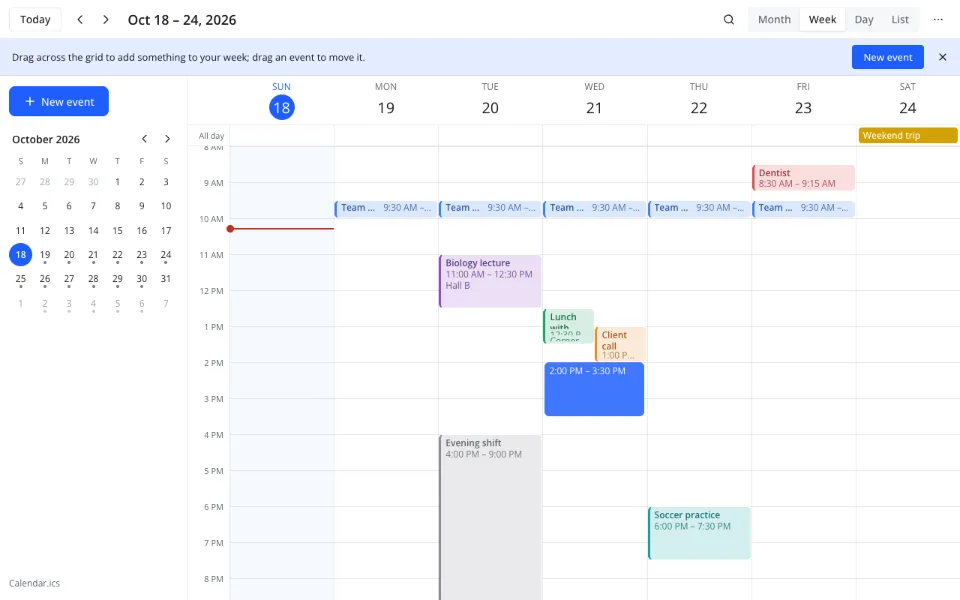
Press W or 2, or choose Week in the menu. A line marks the current time.
Block the week
Drag across empty hours to create an event, then resize it by the bottom edge. Overlapping events sit side by side.
Set the week up your way
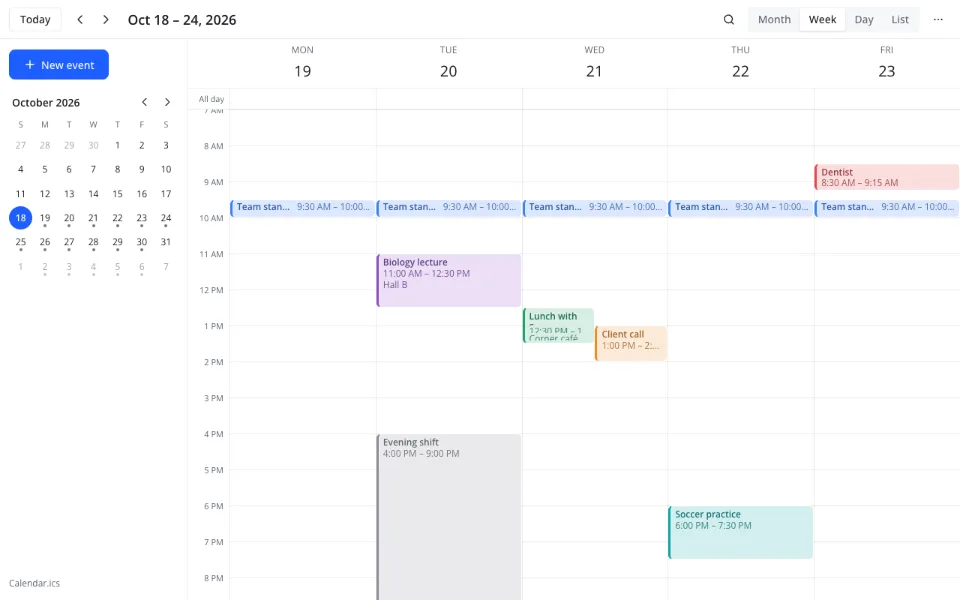
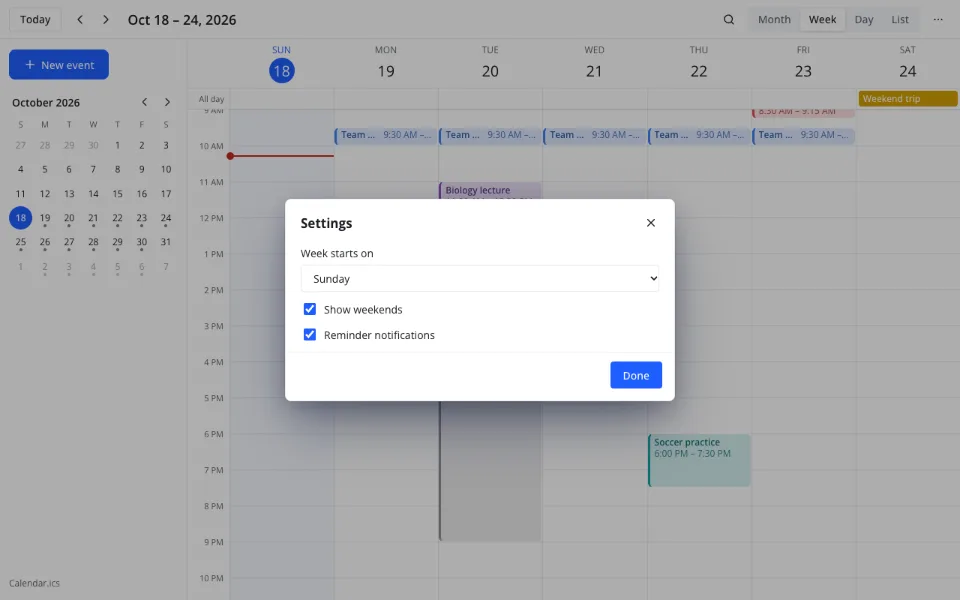
In Settings choose Monday, Sunday or Saturday as the first day, hide weekends, and set reminders.
Features
| Feature | What it gives you |
|---|---|
| Week view | Seven hour columns with a current-time line |
| Move and resize | Drag to another time or day; resize from the bottom edge |
| Week start | Sunday by default; Monday or Saturday in Settings |
What the week view does not do
- No printing of the week
- No ready-made schedule templates
- No finger dragging on phones — use the event form
- No Year or 4-day view, and no sharing or inviting people
Privacy
The calendar is an .ics file in your cloud, with no third-party calendar servers, under GDPR. Here the week runs in your browser.
FAQ
Support: [email protected]
How to use a weekly planner effectively?
Put fixed commitments in first — classes, shifts, the standing meeting — then place preparation and travel around them. Leave some empty space rather than filling every hour, and review the week before it starts. Move a block when the load looks wrong.
How to write a weekly planner?
Start with the days and the hours you work or study. Add recurring blocks for the fixed parts, one-off events for the rest, and a colour per activity. Keep titles short and specific: 'lab report', not 'study'. Then check for two things at once.
How to make a weekly schedule online?
Open the Week view and drag across an empty stretch of hours to create a block, then resize it from the bottom edge. Repeat for other commitments and drag events to new days when plans change. The calendar saves itself.
Can I print the weekly planner?
No. The calendar has no printing and no PDF export, so the week stays on screen. If you need a paper copy, take a screenshot of the week view, or write the blocks into a paper planner. It is a limitation of this version.
Does the weekly planner work on a phone?
Yes, in the phone's browser. A finger scrolls the grid rather than dragging events, so times and days are changed in the event form. The week is readable on a phone, though a larger screen suits the hour columns better.
Can I hide the weekends?
Yes. Open Settings and switch off Show weekends; the week then shows five columns. You can also choose whether the week starts on Monday, Sunday or Saturday — Sunday is the default. This suits a work rota that never uses weekends.
Is it free? Is there a watermark?
The weekly planner is free and costs $0: the week view, dragging, resizing, repeats, reminders and settings are all included. There is no watermark, no trial period and no paid plan. The calendar file is yours to keep and open elsewhere.
Is it safe to plan here?
On this page the calendar runs in your browser. In Zotu it is stored as an .ics file in your cloud, with no third-party calendar servers, and handled under GDPR. Event titles and locations stay in your own file and nowhere else.
More tools
A weekly planner online for classes, shifts and practice
An hour-by-hour week you can drag into shape.
Open the calendar